Replace Globals renames global functions and variables across every file in the same project, so shared references stay consistent after obfuscation.
Why it exists
Standard name mangling is intentionally conservative about global identifiers, because renaming a global in one file can break another file that still references the old name. Replace Globals solves that by using one shared mapping across the project.
That is why this feature belongs in the cross-file group: it only works properly when the related scripts are protected together in the same JavaScript Obfuscator project.
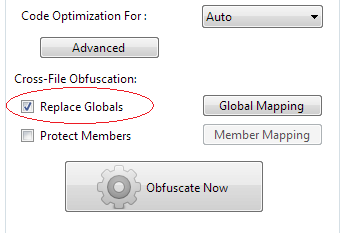
Basic cross-file example
In this example, the global function is renamed once and every file in the project uses the same generated name.
Rename by rules
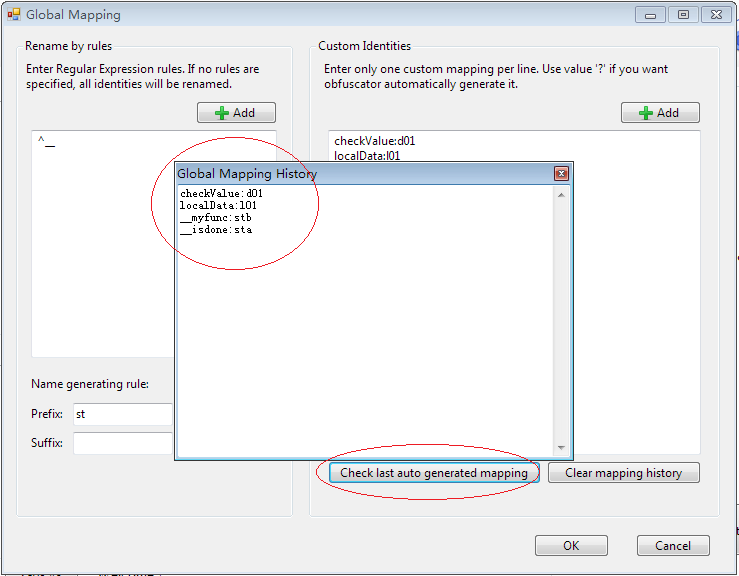
If you want to rename only selected globals, define a regular expression in Rename by rules. A pattern such as ^__ limits renaming to identifiers that start with a double underscore.
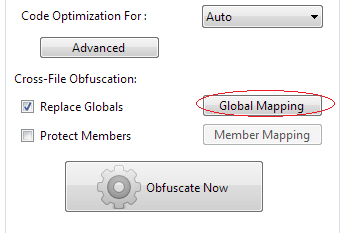
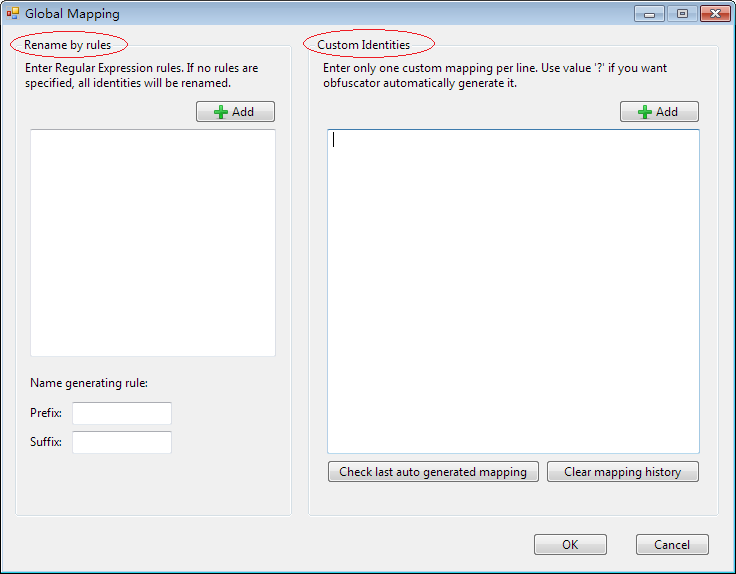

Example source:
function __internalGetSetting() {}
function __loadConfig() {}
function ShowLastError() {}
With ^__, only the private globals are renamed while ShowLastError keeps its public name.
Custom identities
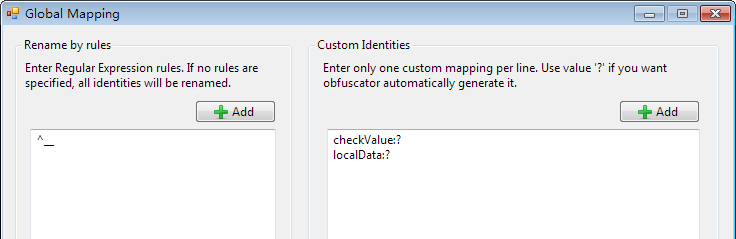
Custom Identities lets you control specific mappings directly. For example:
checkValue:?
localData:?
This tells the obfuscator to rename checkValue and localData to generated names while leaving unrelated globals untouched.
For debugging or deterministic builds, you can assign fixed names instead:
checkValue:d01
localData:l01
Stored mappings
JavaScript Obfuscator stores mapping information with the project so the same identifiers can keep the same replacement names across later runs. After obfuscation, you can inspect the last generated mapping to review or extend it.
Where a renamed global escapes your project
A global is, by definition, a name other things can reach. That is what makes this option useful and what makes it risky, so it is worth listing the places the old name can survive after you rename it:
- Inline HTML handlers.
<button onclick="submitOrder()"> is a string in your markup, resolved against the global scope at click time. The protector never sees it.
- Other script tags on the page. A second bundle, an analytics snippet, or a customer’s own script that calls into your global API.
- Server-rendered code. A template that emits a
<script>initWidget(…)</script> block writes the old name into the page at request time.
- Deliberate
window exports. window.MyLib = MyLib keeps the property name but renames the binding — which is fine. window[name] lookups built from a string are not.
- Anything reached through
eval or new Function. Code assembled from text at runtime resolves against the original names.
The symptom in every case is the same: ReferenceError: submitOrder is not defined, raised from somewhere outside the protected file, so the stack trace points away from the cause. If you see that after enabling this option, the fix is an exclusion, not a rollback.
How this differs from Protect Members
The two options are often confused because both are cross-file. The distinction is what they rename. Replace Globals renames bindings in the global scope — a function or variable declared at top level. Protect Members renames properties on objects, wherever those objects live.
In practice that makes Replace Globals the narrower and safer of the two: a modern bundled application has very few true globals, so the exclusion surface is small and easy to enumerate by hand. If your build already wraps everything in a module scope, most of what looks global to you is not global to the engine, and this option has little left to do — which is a good sign rather than a problem.
Recommendation: treat unmatched identifiers as public. Only rename globals that are private to your project, and keep every dependent file in the same JavaScript Obfuscator project when you enable this feature.
Frequently asked questions
Why do I need a separate option to rename globals at all?
Because standard name mangling is deliberately conservative about global identifiers. Renaming a global in one file can break another file that still refers to the old name, so the safe default is to leave them alone. This option resolves that by using one shared mapping across every file in the same project, which is also the reason it belongs to the cross-file group: it only works properly when the related scripts are protected together in one project. Split them across two projects and the shared mapping is exactly what you lose.
How do I rename only some globals?
Two mechanisms, depending on how specific you want to be. Rename by rules takes a regular expression, so a pattern matching a private naming convention will rename those identifiers and leave everything else with its public name. Custom Identities goes further and lets you name individual bindings, either mapping them to generated names or pinning them to fixed ones. Fixed names are the option to reach for when you need a value that stays the same between builds, for debugging or for a deterministic release.
Where can an old global name survive a rename?
In five places, and all of them are outside the file the protector reads. Inline HTML handlers, because an attribute is a string resolved against the global scope when the user clicks. Other script tags on the page, including analytics snippets and a customer's own code calling into your API. Server-rendered code that writes the old name into the page at request time. A window lookup built from a string, though a plain window assignment is fine because it keeps the property name. And anything reached through code assembled from text at run time.
What does that failure look like in production?
The same way every time: a reference error naming an identifier that is not defined, raised from somewhere outside the protected file, so the stack trace points away from the cause. That misleading trace is the reason this failure eats more time than it should. If you see it after enabling this option, the fix is an exclusion rather than a rollback, and the name in the error message tells you exactly which entry to add.
How is this different from Protect Members?
They rename different things, and the confusion is understandable because both are cross-file. This option renames bindings in the global scope, meaning a function or variable declared at top level. Protect Members renames properties on objects, wherever those objects happen to live. In practice that makes this the narrower and safer of the two, because a modern bundled application has very few true globals, so the exclusion surface is small enough to enumerate by hand.
Does it do anything useful if my build already wraps everything in a module?
Less than you might expect, and that is worth knowing before you enable it. If your bundler already puts everything in a module scope, most of what looks global to you is not global to the engine, so this option finds little to work on. The value is highest for scripts that genuinely share a global namespace across files, which is the situation the option was designed for.